Overview
A human-on-the-loop external operator involves human interaction before pipeline execution. These operators use standard Python Operators to trigger tasks in an external service via API calls. Each request includes all necessary parameters, such as a pre-configured file and connection details, enabling the external service to access intermediary storage. The pipeline proceeds to the next task only after receiving a success or failure response.
The scenario used to demonstrate this approach uses the Harmonization Engine, a tool that allows harmonization of data into a predefined standard structure (using harmonization schemas), with the help of mapping schemas (referred to as configuration files) to bridge the transformation from raw data to target structure.
The scenario uses the MT_AIS.csv dataset and follows these steps:
-
Go to the Harmonization Engine UI
-
Upload the data (MT_AIS.csv) to be harmonized and create a new configuration file
-
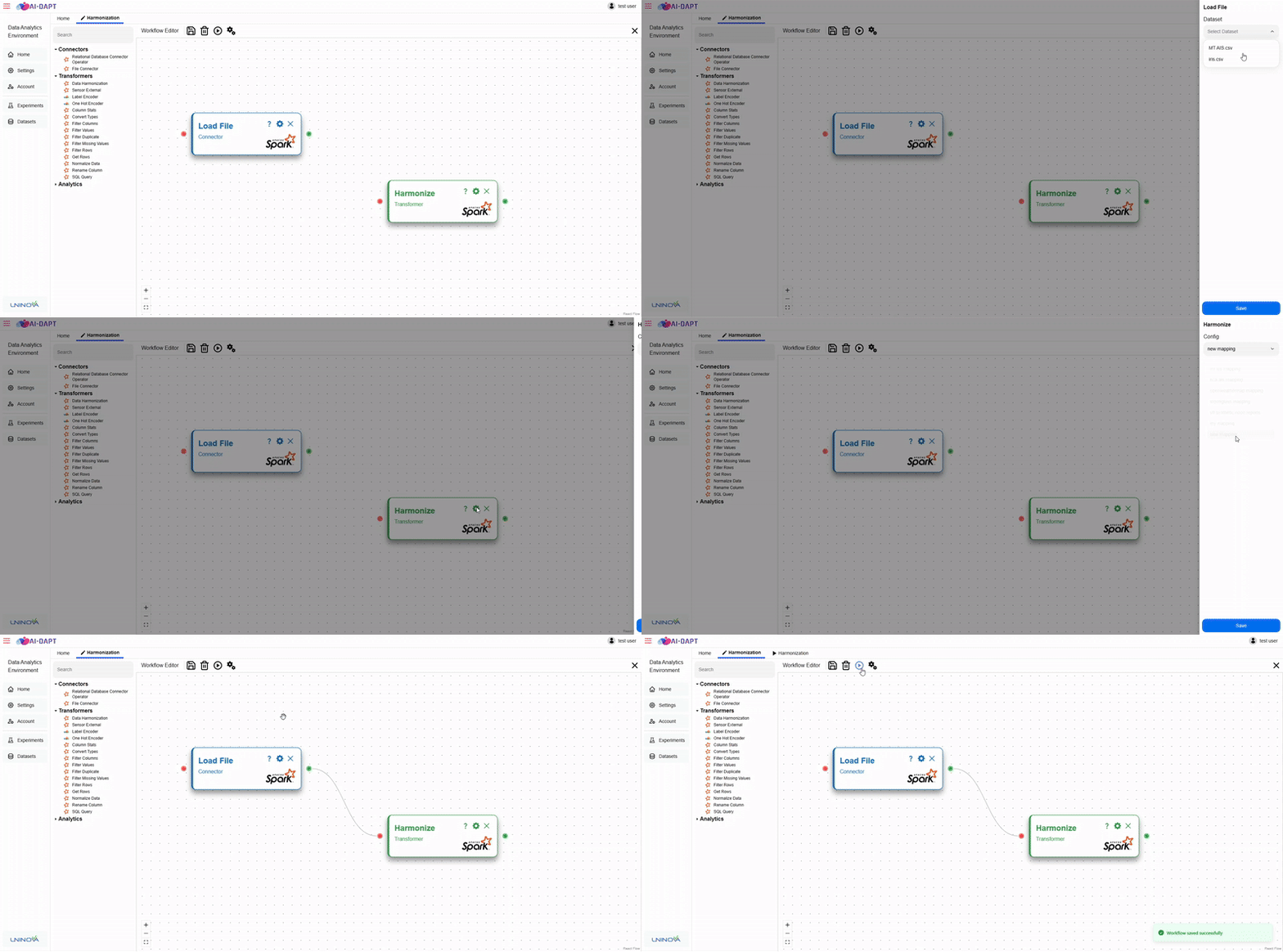
Create a new workflow with 2 tasks:
-
File Connector: Load the MT_AIS.csv dataset
-
Data Harmonization: Send API call to the "Harmonization" external service
-
-
Run the workflow pipeline
-
View results
Python Operator
The development of an external operator using the Python Operator follows closely the standard operator integration documentation. It requires:
-
Metadata definition (JavaScript file)
-
Operator implementation (Python script)
Only external-operator-specific elements are described below. General integration steps are available at: Operator Integration
Metadata
The metadata structure for an external operator (using the Python Operator) is similar to an internal operator, with the following key additions:
-
external: truefield to mark the operator as external -
An additional operator parameter of type
enum_string_external -
A
paramsobject used to define access to the external configuration storage
The enum_string_external parameter is used to retrieve configuration options dynamically from an external database.
Example metadata:
{
    ...
    external: true,
    ...,
    op_params: [
        ...,
        {
            name: OPERATOR_INPUT_PARAMETER_NAME,
            pres_name: OPERATOR_INPUT_PARAMETER_PRESENTATION_NAME,
            pres_desc: OPERATOR_INPUT_PARAMETER_DESCRIPTION,
            type: "enum_string_external",
            params: {
                uri: "mongodb://admin:admin@172.24.103.17:27018/",
                external_database: "vesselai-harmonization",
                external_collection: "mapping_schema_list",
                condition: {},
                fields: {"_id": 0, "mapping_schema_name": 1}
            },
            accepted_values: []
        },
        ...
    ]
}
In this example:
-
external: truemarks the operator as external -
The external configuration storage is a MongoDB instance
-
Configuration files are stored in:
-
Database:
vesselai-harmonization -
Collection:
mapping_schema_list -
The
fieldsparameter: -
Excludes
_id -
Includes
mapping_schema_name
Currently, only MongoDB is supported as external configuration storage.
Python Script
The Python script for an external operator performs an API call to the external service. This call:
-
Triggers execution in the external system
-
Blocks the Airflow task until a response is received
-
Sends:
-
Configuration file name
-
Connection details for intermediary storage
The external service: * Loads the configuration file * Fetches data from intermediary storage * Writes results back to storage
Example implementation:
def main(**kwargs):

    config_name = kwargs["config_name"]

    task_instance = kwargs.get("task_instance")
    prev = task_instance.task.get_direct_relatives(True)[0]
    op_name = task_instance.task_id

    bconfig = {
        "type": "MongoDB",
        "params": {
            "uri": "mongodb://admin:admin@172.24.103.17:27017",
            "database": "uninova",
            "input_coll": prev.task_id,
            "output_coll": op_name
        },
        "config": config_name
    }
    response = requests.post(
        "http://172.24.103.17:5002/data/harmonize_data",
        json=bconfig
    )
In this example:
-
config_nameis selected by the user in the UI -
bconfigcontains: -
External service configuration reference
-
Intermediary storage connection parameters
-
input_collandoutput_colldefine: -
Source dataset location
-
Destination for processed output
Full implementation references:
Harmonization External Service (Full Example)
This section describes the full end-to-end example using the Harmonization external operator.
Step 1: Create Configuration File
The user first accesses the external service UI at:
http://localhost:3001
Then:
-
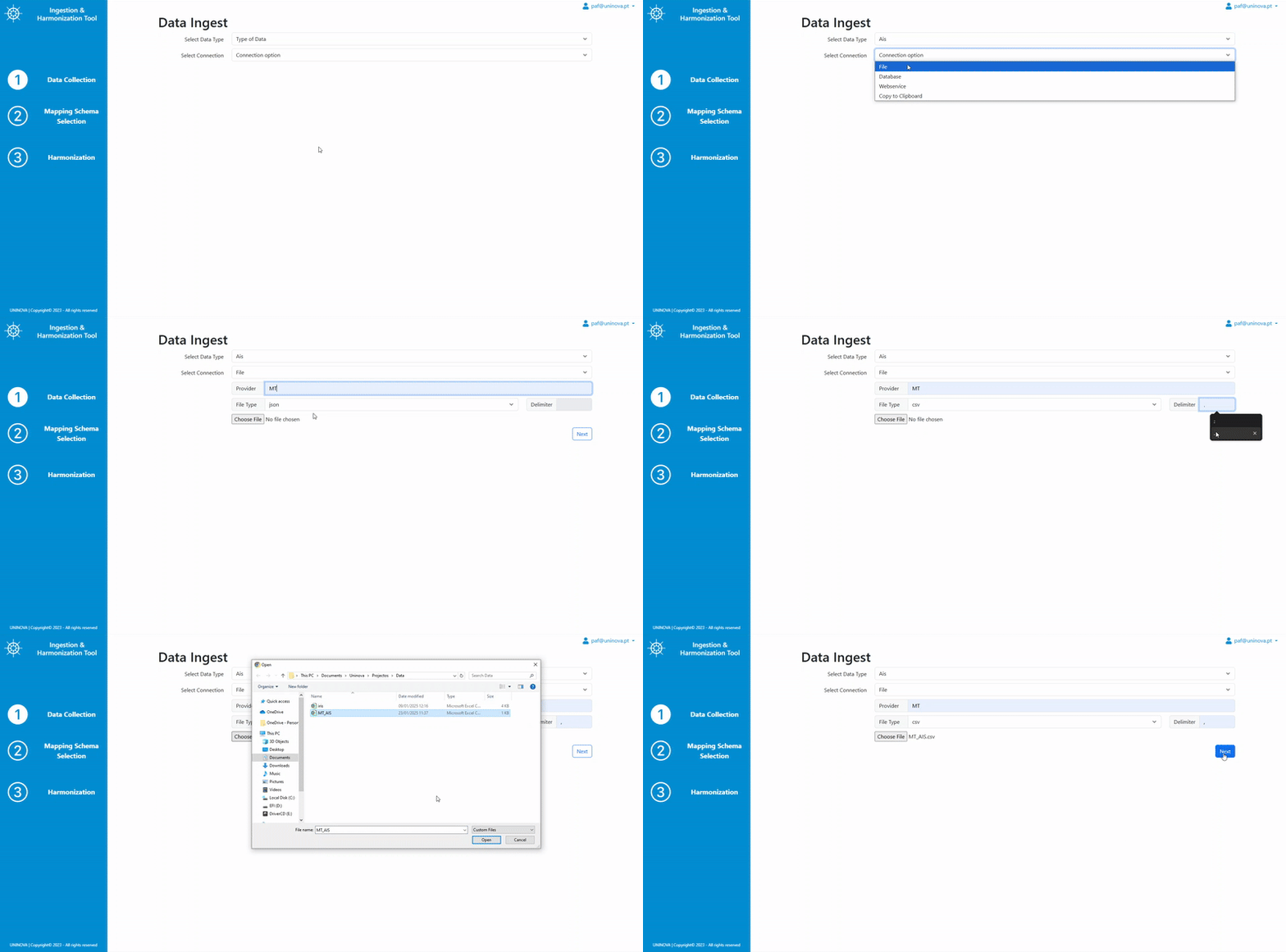
Upload MT_AIS.csv dataset
-
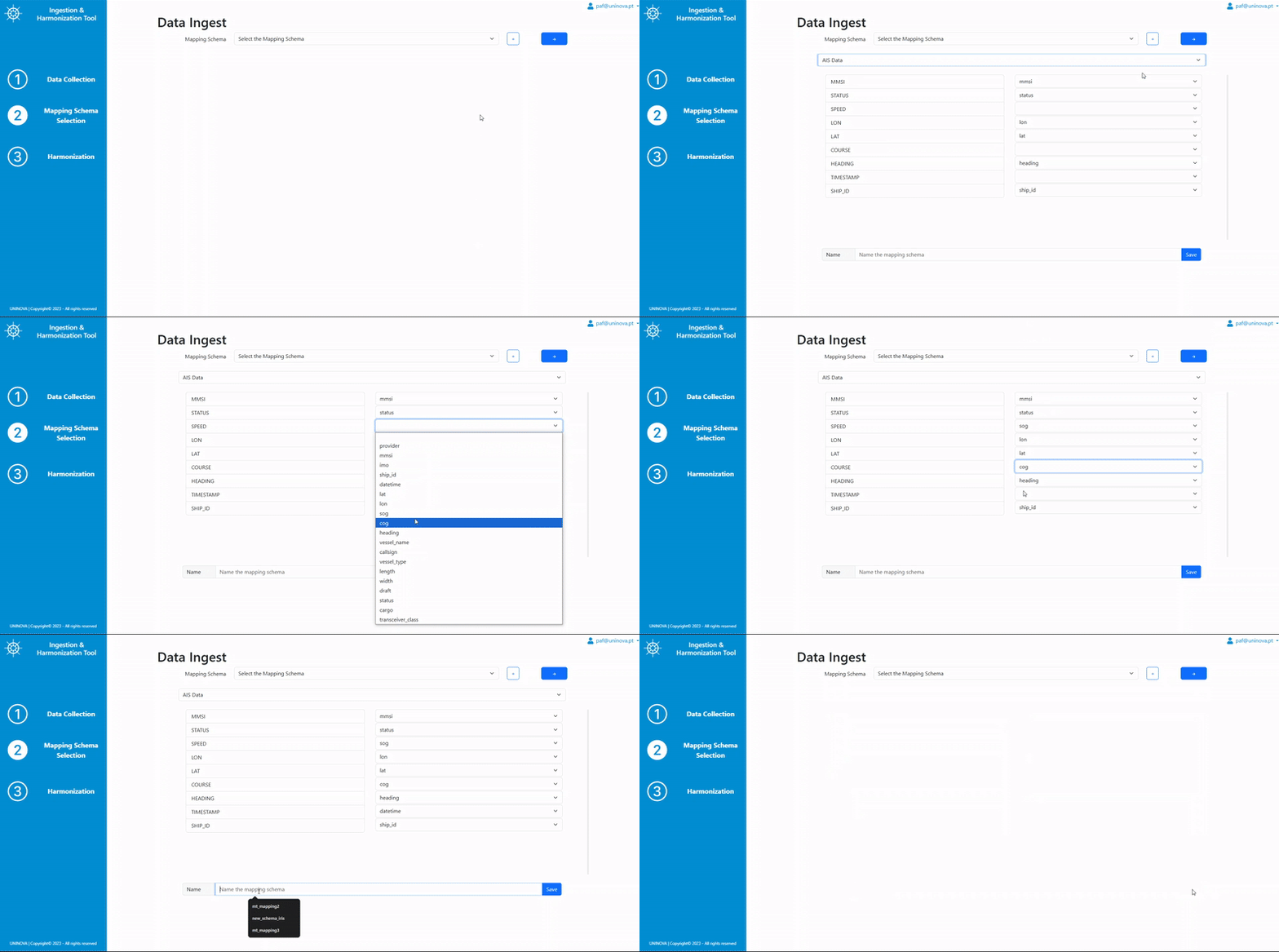
Create a new mapping configuration:
-
Map source columns → harmonized schema
-
Name and save configuration file
Example process: * Upload file:
-
Create configuration:
Step 2: Upload Dataset to DAVE
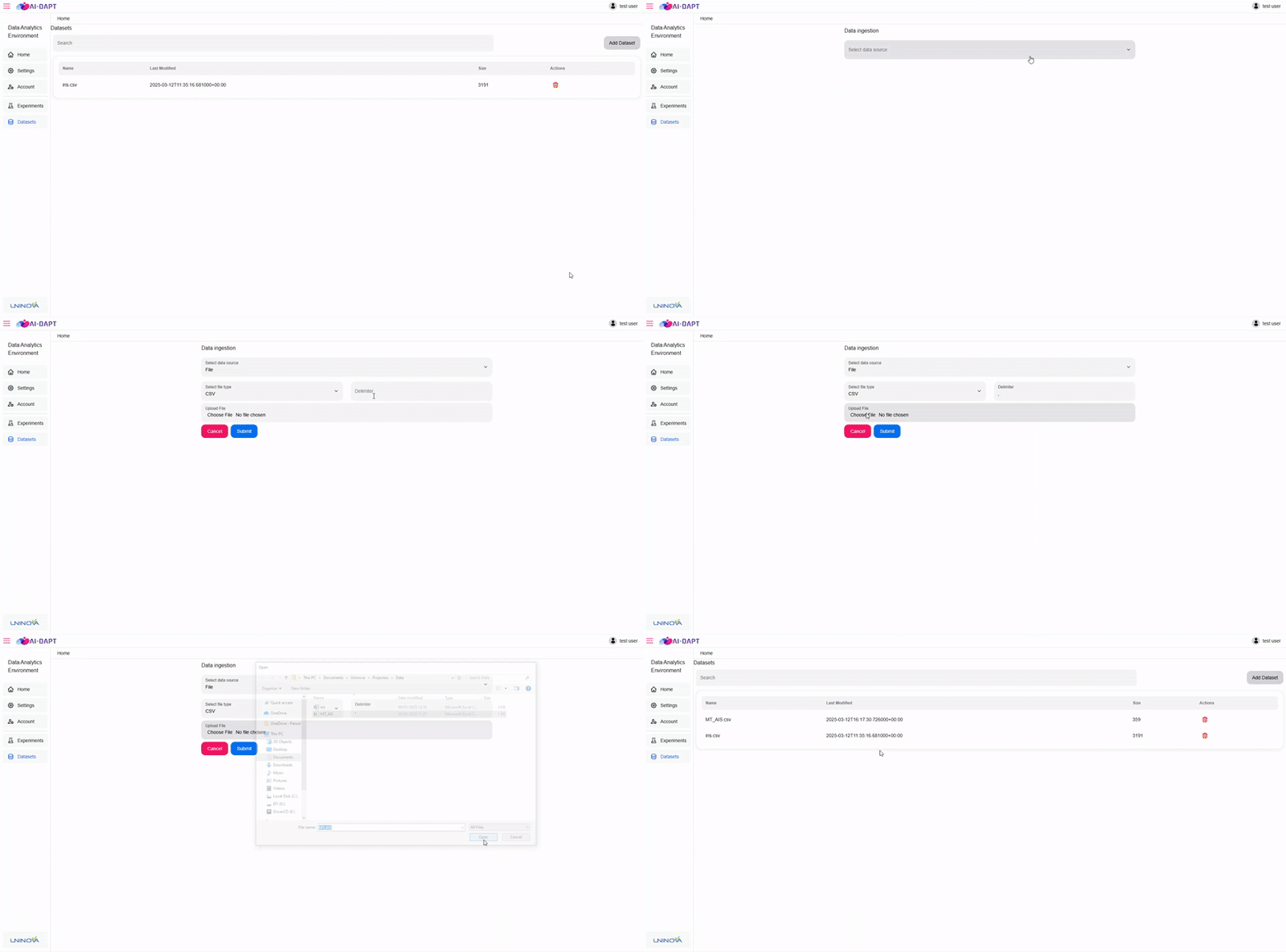
Before workflow creation, the dataset must be available in DAVE.
-
Navigate to datasets page
-
Upload MT_AIS.csv