Configure you First Project
The Synthetic Data creation interface allows users to initialize new datasets by defining foundational metadata and generation parameters.
Create Synthetic Data Project
The project setup is configured with a generation mode of From Existing File and a synthetic dataset type of Handle Imbalance
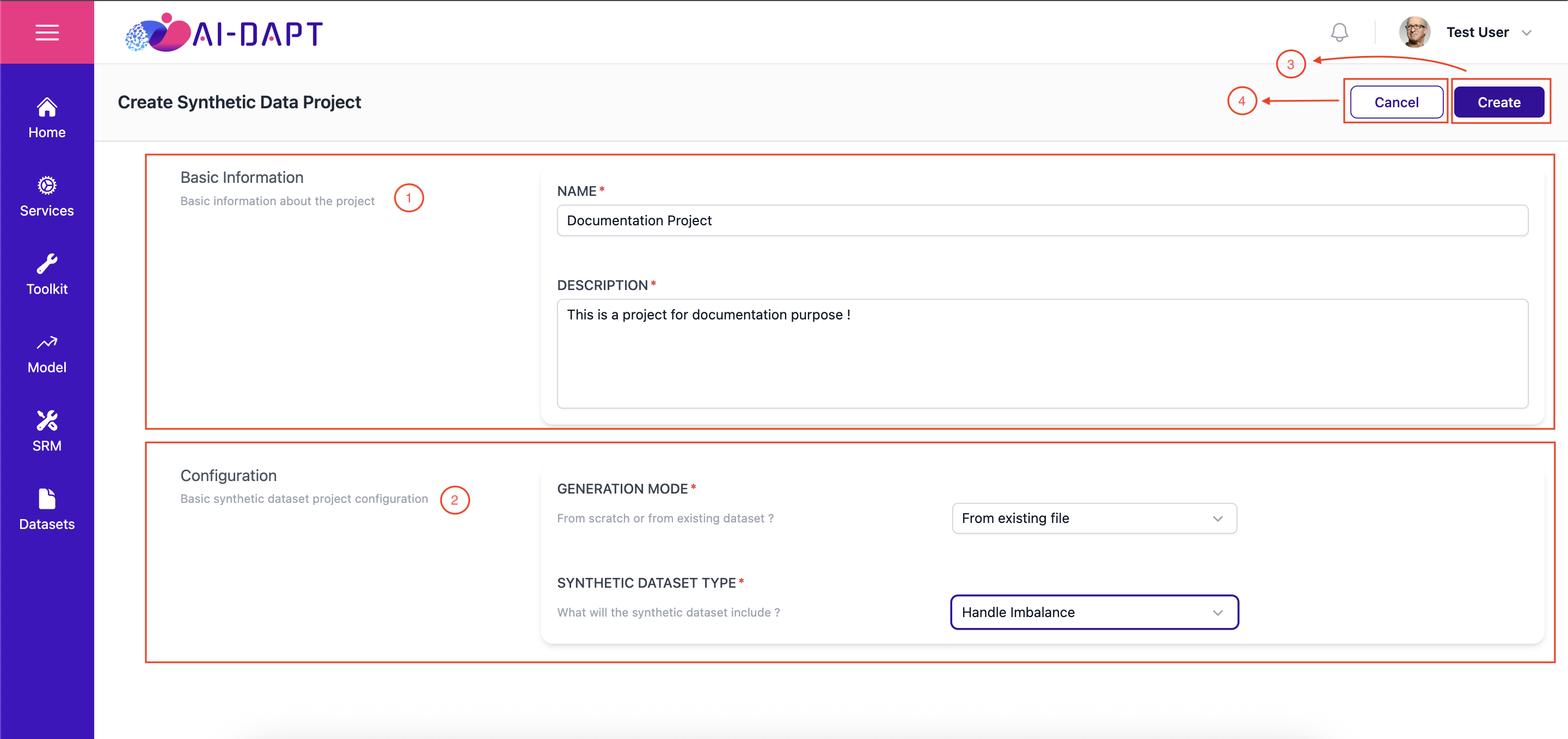
1. Basic Information
This section handles the identity of the project.
NAME |
Enter a unique identifier name for the synthetic data project. This field is required for project tracking. |
|---|---|
DESCRIPTION |
Provide a brief summary of the project’s purpose. |
2. Configuration
Define the configuration for the synthetic dataset project.
GENERATION MODE |
Specify whether the dataset will be built from scratch or from an existing dataset. |
|---|---|
SYNTHETIC DATASET TYPE |
Define the specific content and structural schema the synthetic dataset will include. |
3. Actions
-
[Create]: Saves the configuration and initializes the synthetic data project workspace.
-
[Cancel]: Discards all current entries and returns the user to the main project gallery.
|
Ensure your Project Name is descriptive, as this will be the primary identifier used when referencing this dataset. |
Project Setup
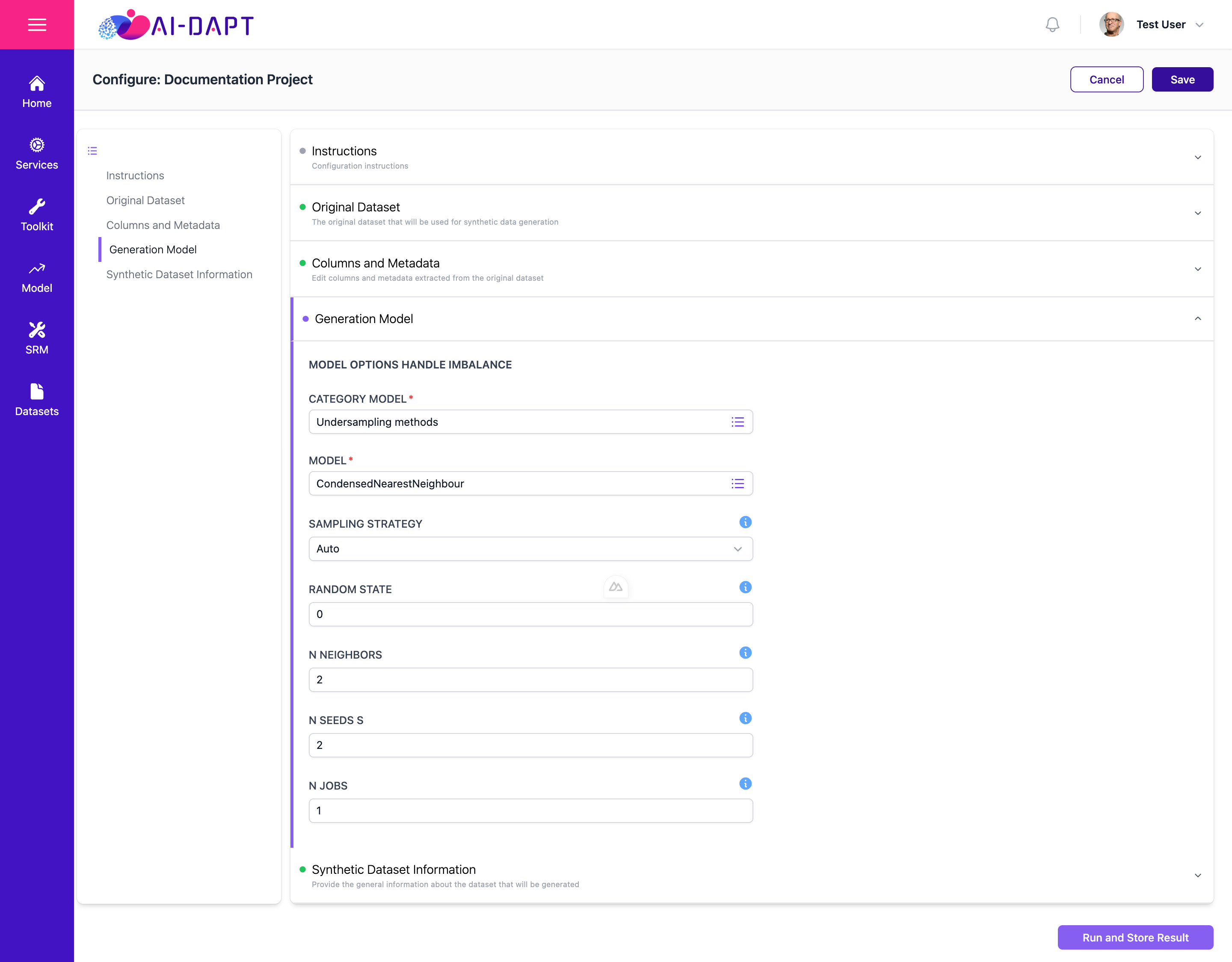
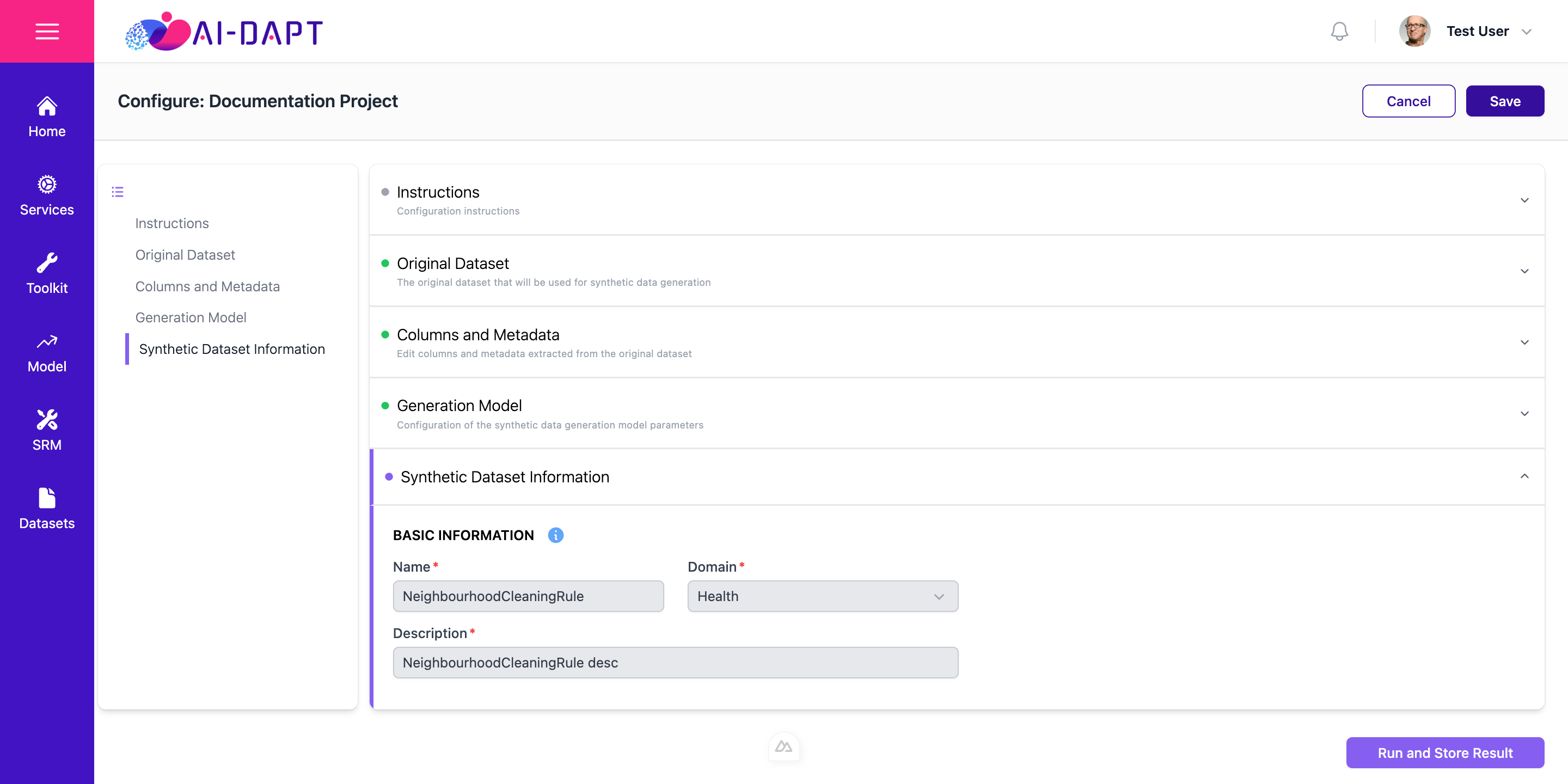
The configuration process is divided into five modules, accessible via the left-hand navigation menu or the central collapsible panes.
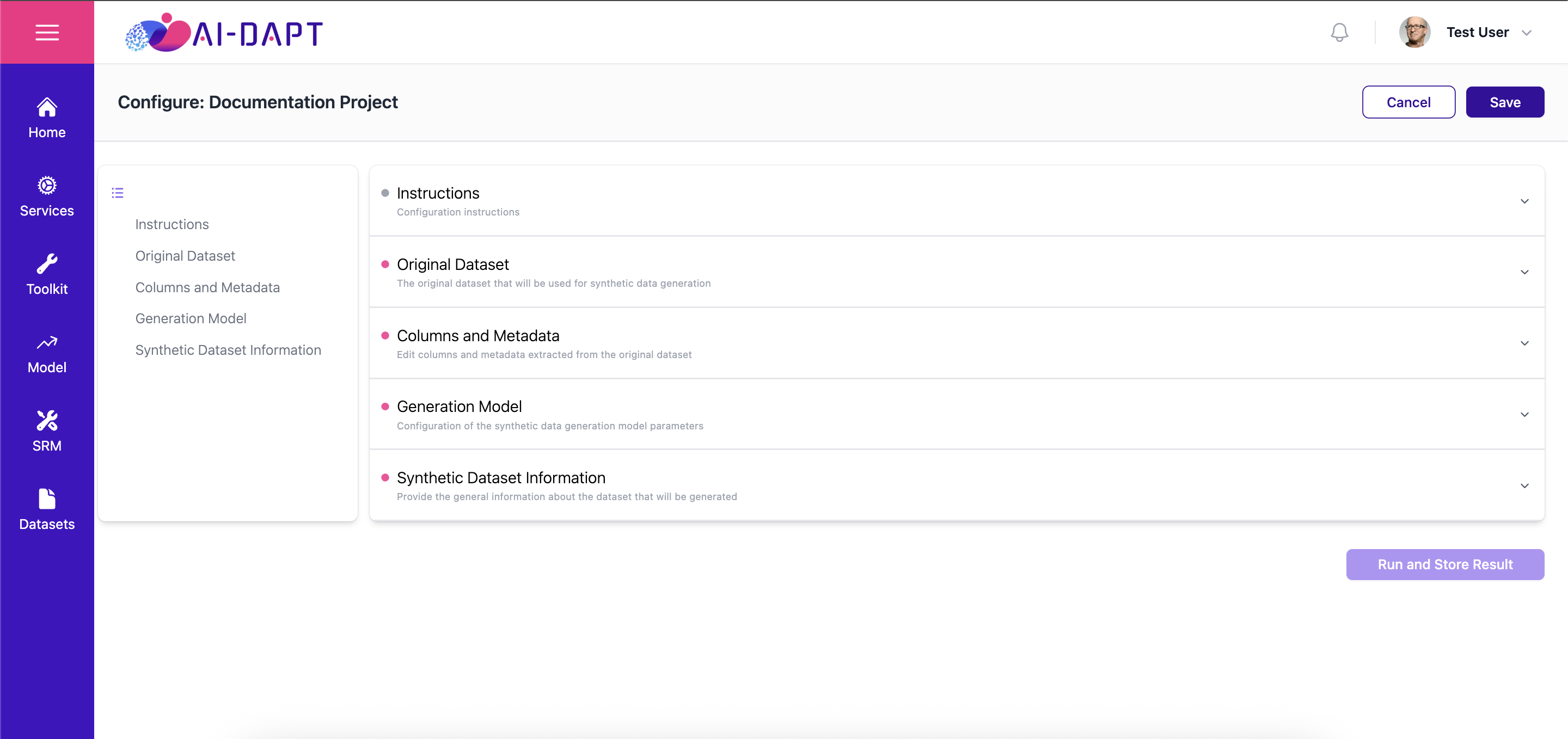
Instructions
Provides a comprehensive overview of the configuration requirements and specific goals for the current project.
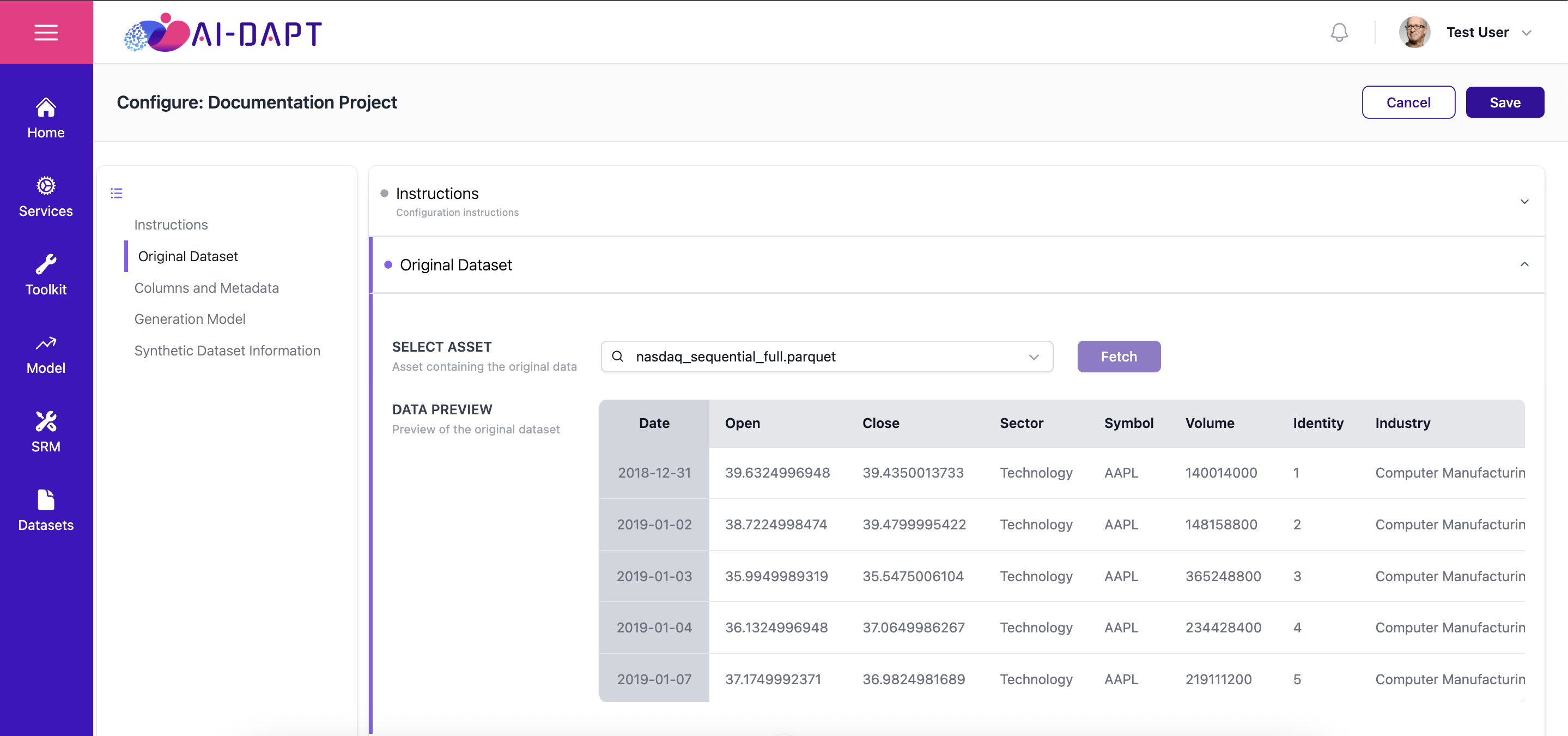
Original Dataset
The Original dataset that will be used for synthetic data generation
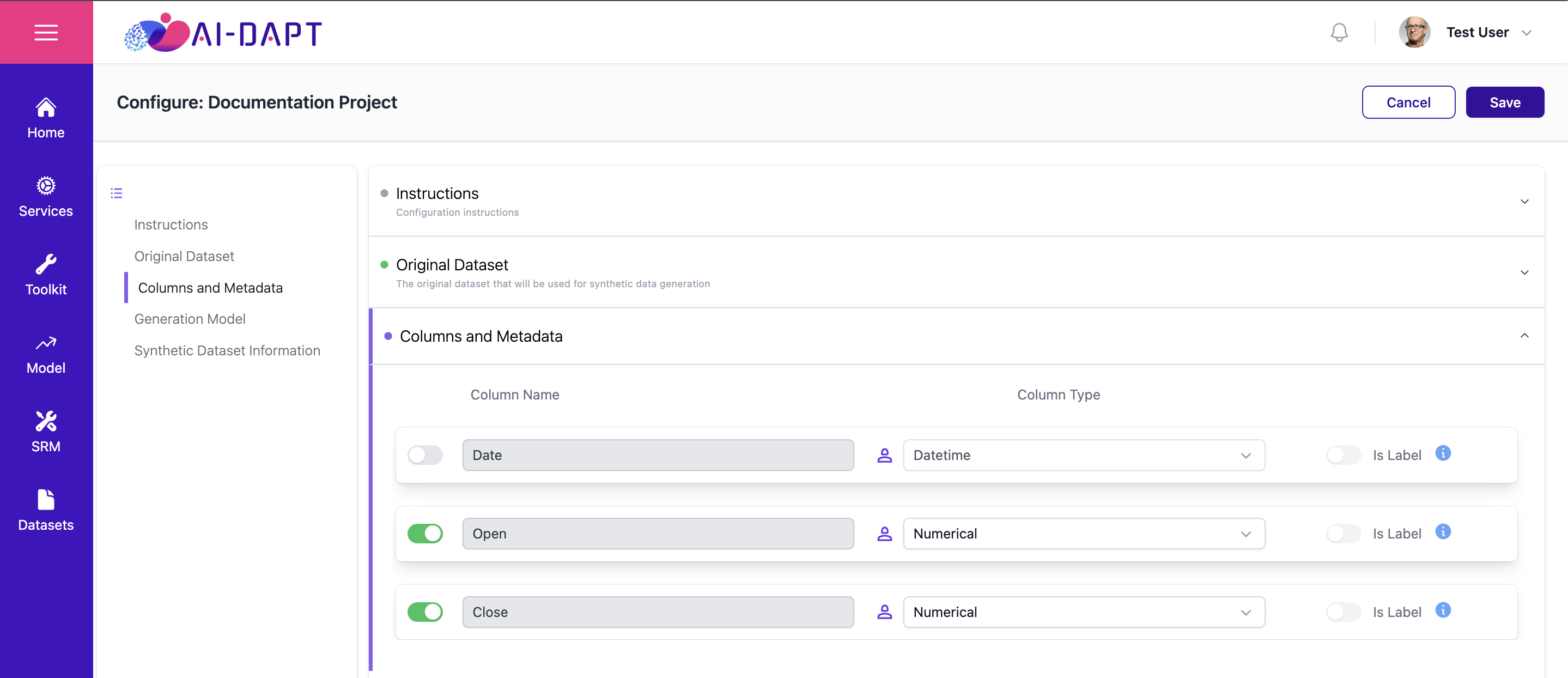
Columns and Metadata
Metadata is automatically extracted upon selection. Users should validate this information to ensure accuracy before proceeding.
|
For Timeseries case, ensure that the Sequence Key and Primary Key (if needed) are correctly assigned as type ID. |
Actions
The following primary actions are available throughout the configuration process:
-
[Cancel]: Discards all unsaved changes and exits the configuration workspace.
-
[Save]: Commits your current progress without triggering the generation process.
-
[Run and Store Result]: Finalizes the configuration and initiates the synthetic data generation engine.
|
Ensure all sections are correctly configured before clicking Run and Store Result. |
Prev |
Next |