Getting Familiar
Projects Dashboard
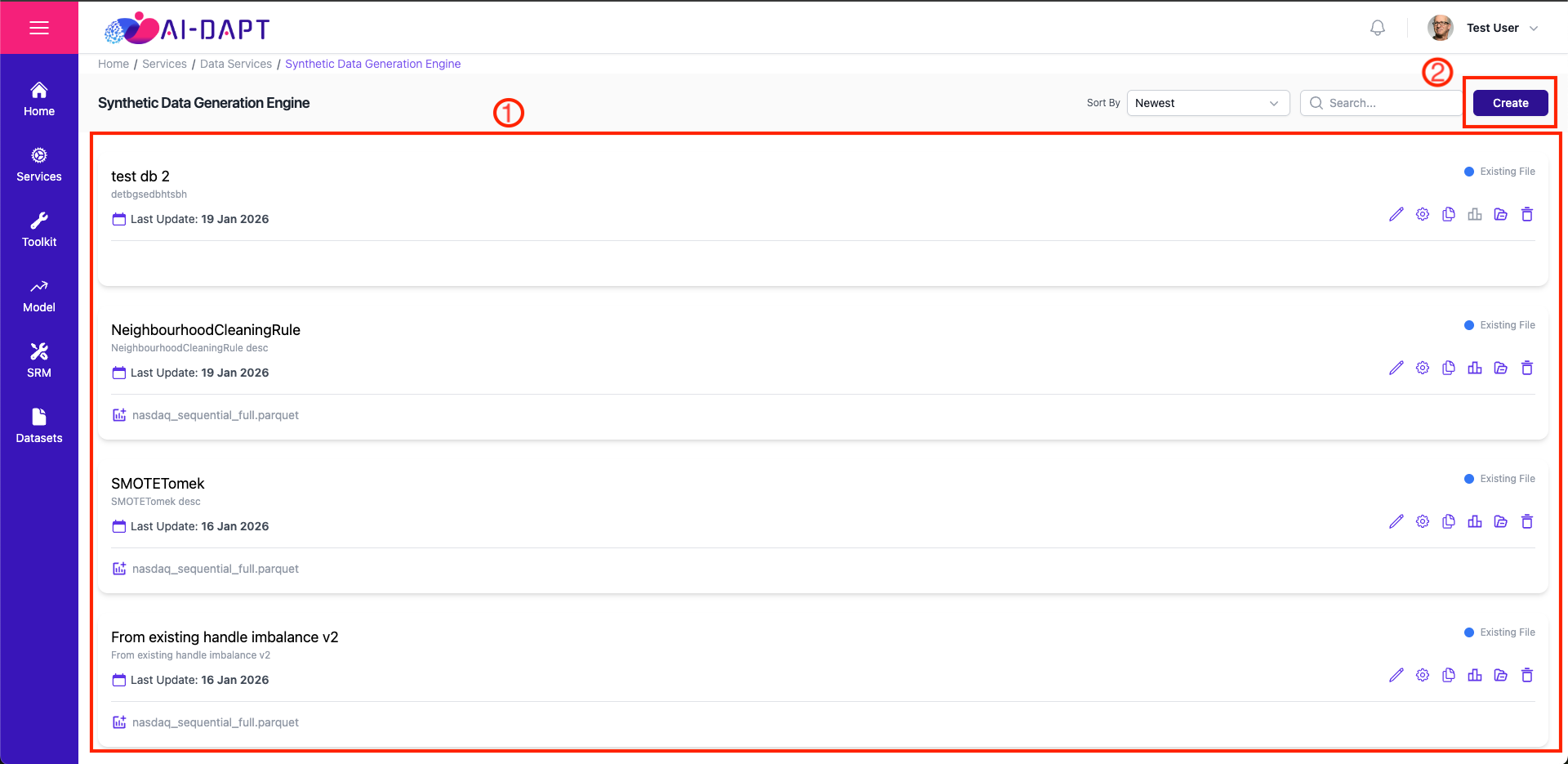
The Projects Dashboard is your starting point for viewing all the available projects created.
-
Project Gallery: A list of all active projects you have created.
-
Action Button: Click Create to navigate to the project creation form.
|
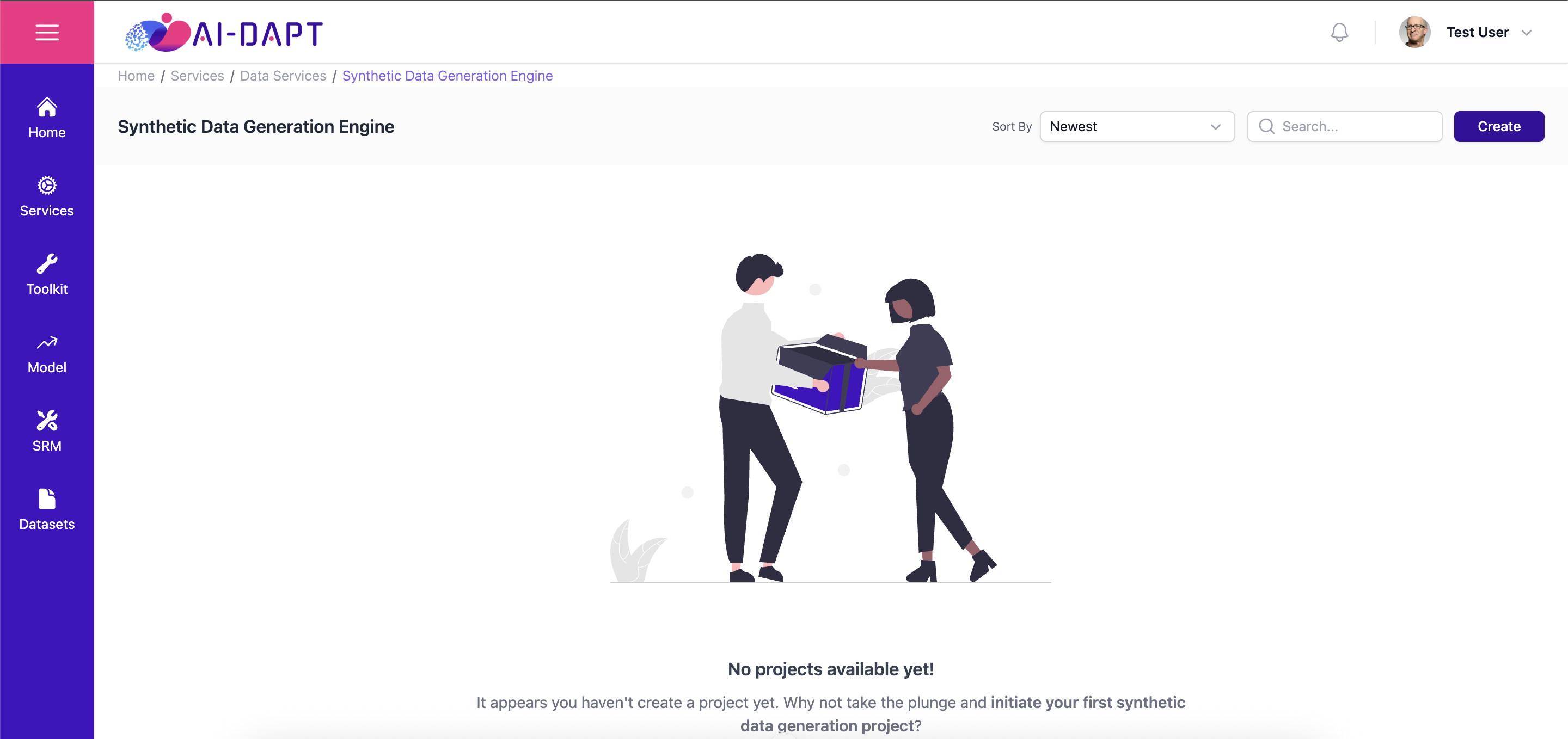
If you haven’t created any projects yet, you will see the empty state illustrated below. |
Project Card
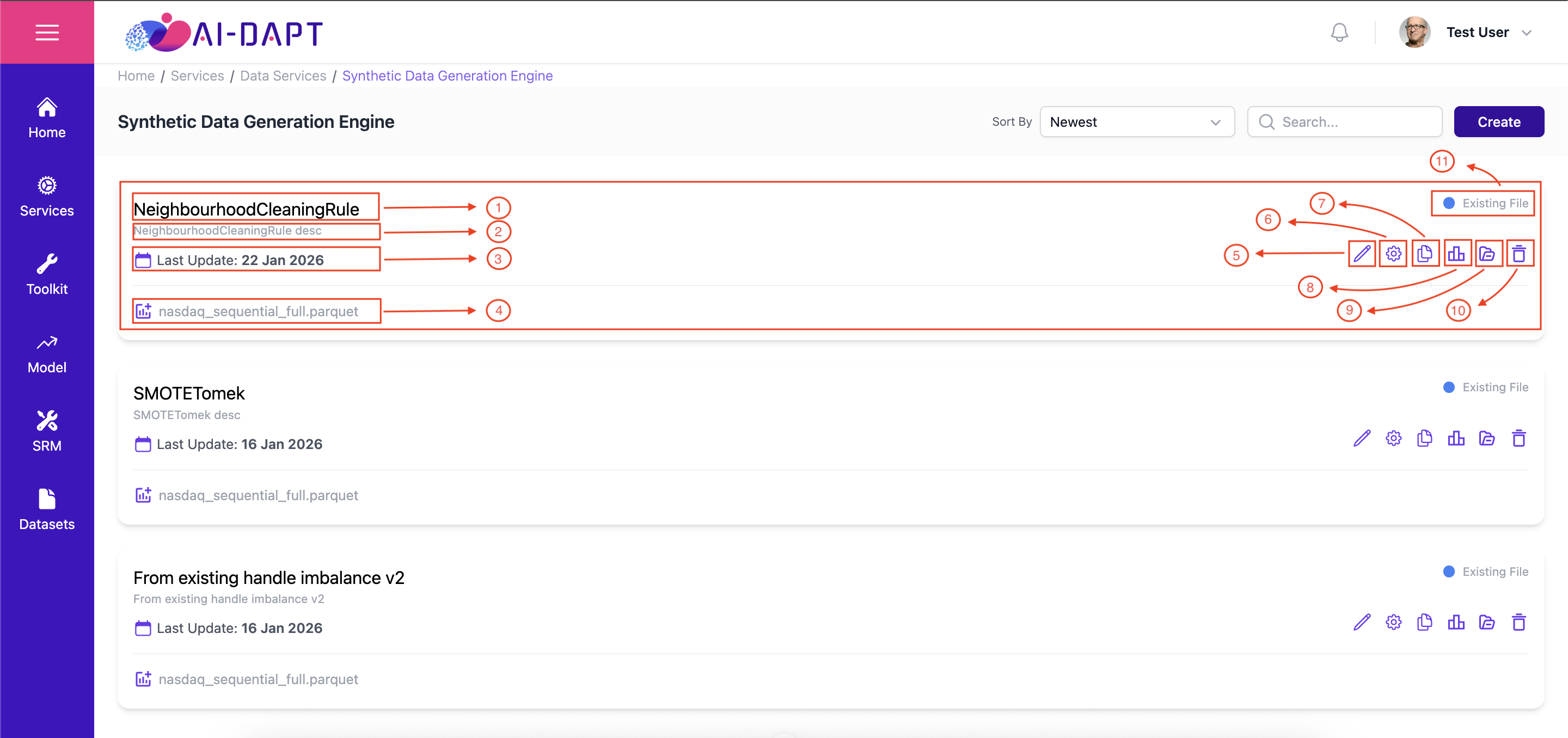
The Project Card provides a high-level overview of a pipeline’s status, timeline and data sources. It also enables direct management, allowing users to configure parameters, duplicate the project, or edit its metadata.
-
Project Name: Displays the name assigned during project creation.
-
Project Description: A short summary providing context for the project’s use case.
-
Project Last Update: Displays the specific date of the last data update.
-
Asset Type: Asset Name.
-
Edit Project: Opens a modal to allow the user to update the Basic Information section.
-
Configuration: Opens the configuration page.
-
Duplicate: Duplicates the project with the same configurations.
-
View Evaluation: Opens the Evaluation page.
-
Results: …
-
Delete Project: Permanently removes the project and its historical monitoring data.
-
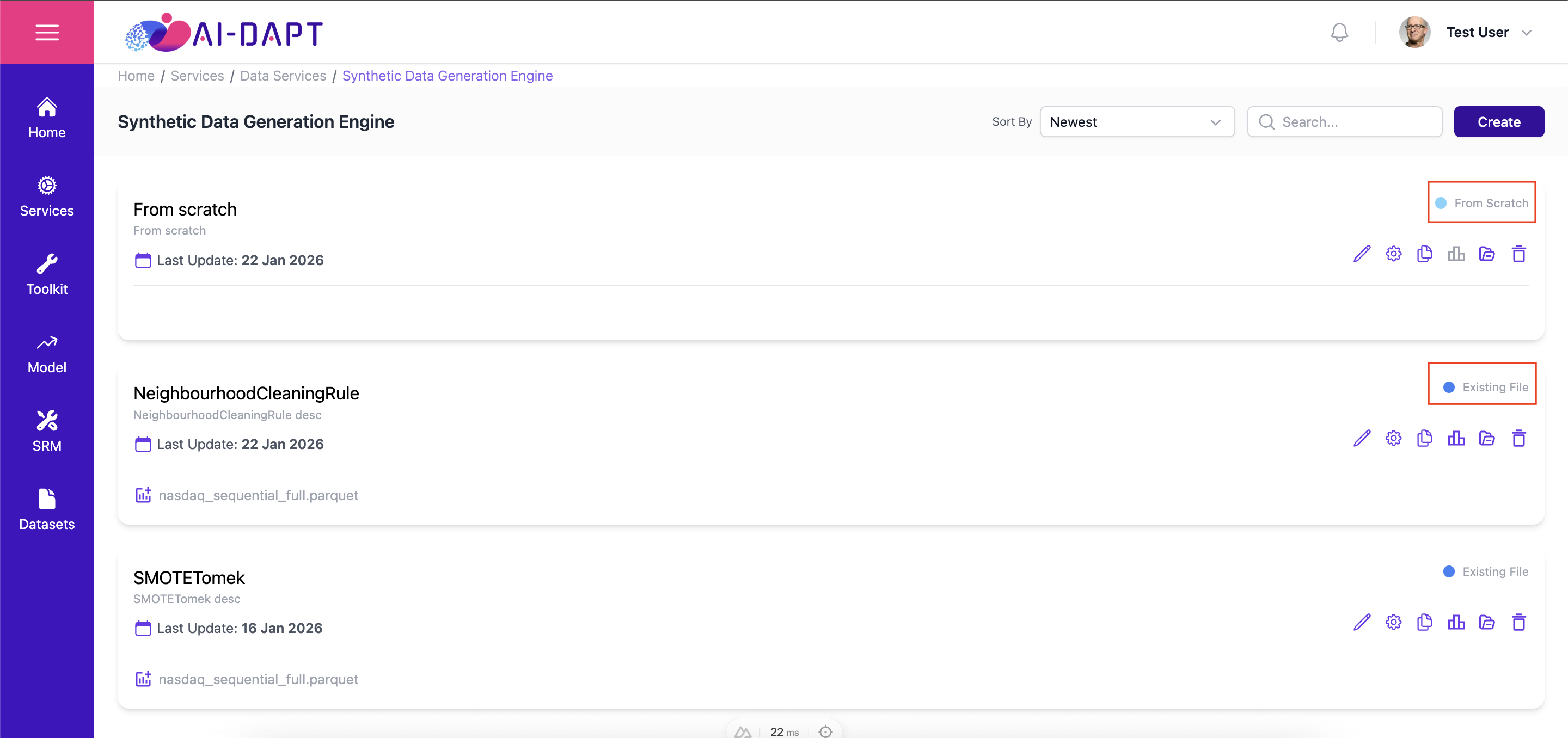
Generation Mode: Generation mode of the created dataset.
|
The Status Indicator (top-right of the card) shows whether a project is currently From Scratch or From Existing generation mode. |
Prev |
Next |